

« Back to Knowledge Base
Error when installing vMix
If you receive an error message while installing vMix that mentions vMixVideo.ax, it’s likely due to another program or process running on the computer.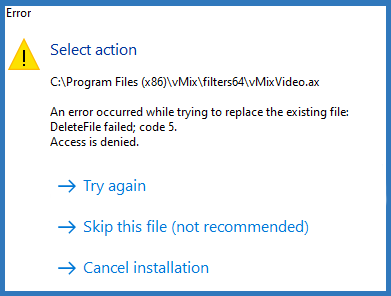
It’s recommended to stop the installation and make sure that all applications and programs are closed on your computer and start the install again. If you’re seeing the error even after doing that, try restarting your computer and begin the install process again.
If you have already seen the error and have skipped this file, you may see issues with video sources in vMix. It may result in no images from cameras and NDI sources and they may just appear as a single colour. If this is the case, please head to vMix.com and download vMix again. Once downloaded, run the installation.
Last Updated: Wednesday, August 12, 2026 10:34:52 AM